
I plugged a Zigbee dongle into my HomeAssistant box, but I couldn't find it in the UI. Here's how to get it working.
- Buy a USB Zigbee dongle
- Shove it in the computer running HomeAssistant OS (HAOS)
- On the command line of your computer, run
lsusb - Get the two IDs of your Zigbee device - for example
10c4:ea60 Silicon Labs CP210x UART Bridge - In the same directory as your HAOS image, create a new file:
sudo nano zigbee.xml - Add the following
<hostdev mode='subsystem' type='usb' managed='yes'>
  <source>
    <vendor id='0x10c4'/>
    <product id='0xea60'/>
  </source>
</hostdev>
- Replace the
0x10c4and0xea60with the IDs you got earlier (keep the0x). - Save the file with CTRL + X and then press Y
- Find the name of your HAOS install with
virsh list - Attach the Zigbee USB by running
virsh attach-device haos --file zigbee.xml(replacehaoswith whatever you found on the step above) - Reboot it with
virsh reboot haos - Wait a few minutes for everything to come back.
- Go to Settings → Devices
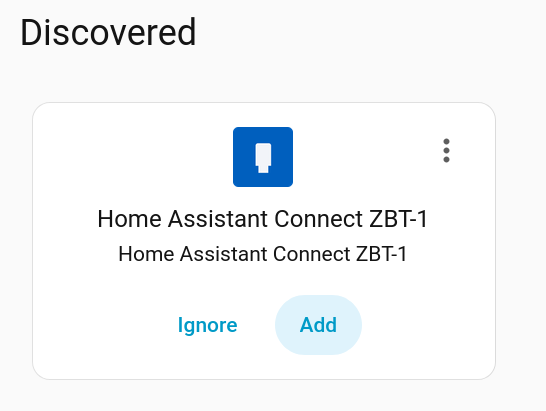
- The Zigbee device should show under "Discovered"
- Add the device and follow all the prompts.
- Restart HomeAssistant using Settings → ⋮ → Restart
- Start adding devices using Settings → Connectivity → Zigbee → Add device
- You will now need to make the USB attachment permanent.
- Remove the USB device with:
virsh detach-device haos --file zigbee.xml - Permanently attach it with:
virsh attach-device haos --file zigbee.xml --persistent
- Remove the USB device with:
Sources:


