
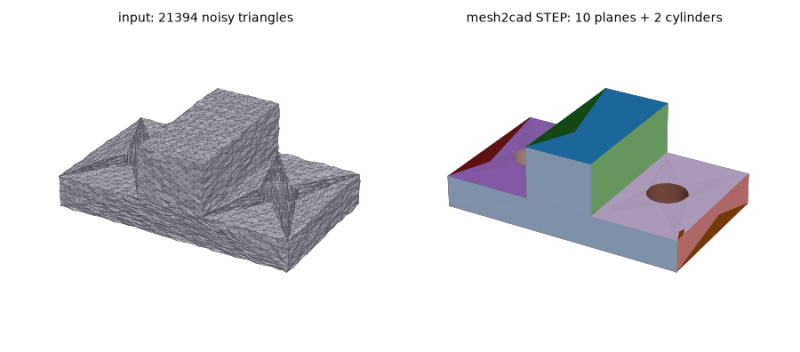
It’s happened to all of us, we find an STL that would just about solve our problems, but the mesh isn’t quite right. Sometimes mesh-editing is good enough, other times you need to rebuild the mesh in a proper CAD environment to get what you need. In that latter case, [Emir Mrkaljevic]’s Mesh2Cad program could save you a whole lot of work, because it does exactly what it says on the tin: turns a mesh to a CAD file.
Even better, [Emir] doesn’t pick the CAD format for you. Sure, it does STEP, but you can also go straight to FreeCAD, CadQuerry or OpenSCAD with these handy scripts. Well, technically the FreeCAD version generates a macro to make the object rather than a .FCSTD, but that’s still pretty handy. Scripts is the right word for mesh2cad, because the whole thing is python and just a pip install mesh2cad away from living on your machine. Of course you don’t need to use pip since the whole thing is on GitHub and available for your eyeballs to audit. Speaking of audit, the scripts apparently check their own work and only give you CAD if they can approximate the mesh within tolerance.
Now there are limits here, if you think it sounds too good to be true. You’re limited to things that can be made of the sort of primitive manipulation OpenSCAD usually deals in — no organic shapes, free-flowing curves, or the like. If it’s a box or a bracket with holes, fillets and chamfers, though, this tool might save you a couple minutes recreating it.
If you prefer to do it yourself or have one of those annoyingly-organic meshes this tool won’t touch, we have a guide for what to do when an STL needs some tweaking.


